
Sea Thunder Reloaded brings fast underwater rounds, moving targets, adjustable weapons, and direct visual feedback. This guide is written for members at YAMANPLUS, helping players understand rules, controls, target selection, and room choices.
An overview of gameplay in Sea Thunder Reloaded
Sea Thunder Reloaded uses a marine screen where creatures cross from several directions. Each round links aiming, firing, target movement, and reward confirmation through simple controls. The pace changes as smaller groups and larger creatures enter different screen areas.
Players begin by selecting a room that matches the available stake range. Values may appear in PHP or USD, depending on the account setting. At YAMANPLUS, members can review displayed limits before opening the game table.
The main appeal of Sea Thunder Reloaded comes from constant movement and quick decisions. Different targets require varied shot timing because speed, size, and direction keep changing. Clear effects show hits, missed shots, collected rewards, and weapon adjustments without delay.
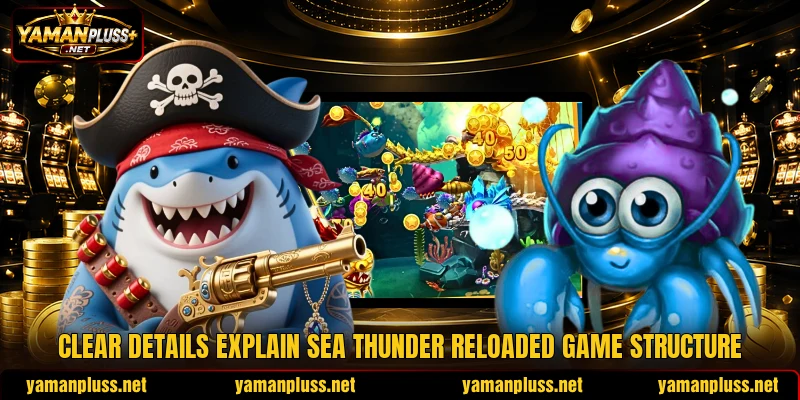
Rules and round flow throughout the main screen
Rules connect every shot with a selected value, visible target, and recorded result. Understanding this sequence helps members read each round without guessing what caused an outcome.
How Sea Thunder Reloaded turns work
A round starts after players choose a room and confirm the shooting value. Creatures then enter from screen edges, follow set routes, and leave after crossing. Shots only affect visible targets positioned within the active play area.
In Sea Thunder Reloaded, each fired shot uses the value shown beside the weapon. A hit does not always remove a creature because targets may need several impacts. The result appears immediately when the game confirms a successful capture.
Captured creatures trigger a reward display based on the target and shot setting. Missed fire still counts as a completed action, even when nothing is collected. Players should read every confirmation before changing aim or selecting another weapon.
Weapons and shot value choices
Weapon options usually change firing strength, shot appearance, and the value used. Lower settings suit crowded areas where several small targets pass close together. Higher settings create stronger attacks intended for larger creatures or limited openings.
Members can switch levels through visible plus and minus controls near the cannon. Any adjustment should be confirmed before firing because the next shot uses it. PHP 10 and PHP 50 examples show how displayed values may differ.
Accurate weapon changes work better than constant switching without a clear purpose. Players should match a setting with target size, route length, and screen position. This approach keeps each shot connected to a clear visual reason.
Targets and reward conditions
Small creatures move quickly and often appear in groups across wider screen sections. Larger targets usually remain visible longer, although their routes may change during travel. Special figures can carry different conditions, signs, or reward labels shown onscreen.
Players should check the displayed multiplier or symbol before choosing a target. A bright effect may mark a special event, but animation alone proves nothing. The final result depends on the game confirmation shown after the shot.
Target conditions in Sea Thunder Reloaded remain tied to visible round information. Members should avoid assuming that repeated misses guarantee the next capture. Each action receives its own result from the active game system.
Interface elements and round feedback
The Sea Thunder Reloaded interface places aiming, weapon controls, and results around the screen. Buttons should remain readable without covering the routes used by moving creatures. Landscape mode often provides more space for tracking action across both sides.
Sound and visual effects indicate firing, impacts, captures, and special screen events. Players can follow reward totals through the balance area after each confirmed result. Stable feedback makes it easier to separate successful shots from missed attempts.
Room labels show entry conditions, available values, and other table details. Members should compare these elements before selecting any area with higher settings. A suitable screen layout also reduces accidental taps during fast target movement.

Focused methods for targeting and choosing targets
Sea Thunder Reloaded depends on timing, route reading, and controlled weapon selection during active rounds. Strong choices come from watching movement carefully instead of firing across every screen area.
Reading movement before firing
Watch each creature for a moment before placing the first shot. Straight routes allow easier tracking, while sharp turns can quickly change the angle. Firing ahead of movement may work better than following the target from behind.
Groups create several choices, but crowded scenes can also hide the intended target. Players should focus on one route instead of moving constantly between passing creatures. This method keeps the aiming line steady during short openings.
Screen edges deserve attention because new targets often appear without long warning. Members can prepare the cannon near likely entry points before creatures become centered. Early positioning gives more time to read direction and choose a shot.
Matching armaments to target size
Small targets suit lower shot values when they cross in frequent groups. Medium creatures may need stronger settings when their route stays open and readable. Larger figures deserve careful timing because missed high-value shots use more credits.
In Sea Thunder Reloaded, weapon choice should follow the target instead of screen excitement. Players can compare speed, size, distance, and route before pressing fire. A matched setting creates a clearer reason behind every attempt.
A USD 1 shot may fit a different room from a PHP 20 option. Members should always read the exact unit shown beside the firing control. Currency labels prevent confusion when accounts display converted or room-specific values.
Using room settings with purpose
Room options may differ by entry level, shot range, pace, or target density. Players should select areas where controls and labels remain easy to read. A familiar setting supports faster decisions when several creatures enter together.
Members can test control placement with lower displayed values before choosing another room. This check shows whether aiming responds smoothly across the full device screen. It also confirms that weapon buttons and balance details remain clearly visible.
Changing rooms makes sense when the current pace does not match target preferences. Faster areas suit quick reactions, while calmer tables allow longer route observation. The best choice depends on readable action rather than the highest available setting.

Conclusion
Sea Thunder Reloaded offers direct underwater rounds built around aiming, timing, targets, and weapon levels. Members can access the title through YAMANPLUS after checking room values and account currency. Register, open the game, or download the app, then enjoy every round and good luck.